







المولد
تاريخ
مُنشئ تخطيطات الأرض الاصطناعية
أداة التغيير
النموذج
أساسي
تبديل
الغرف
غرفة النوم
-
2
+
حمام
-
1
+
مطبخ
开放式
封闭式
总面积
وحدة مقياس
مقياس إمبراطوري
مقياس إمبراطوريمنطقة
< 50㎡
50-80㎡
80-100㎡
100-120㎡
120-150㎡
> 150㎡
附加设施
خزانة الملابس التي تتمكن من الدخول فيها
غرفة الغسيل
غرفة التخزين
غرفة الأعمال المتعددة
مكتب المنزل
جراج
خزانة الأطعمة
غرفة المعيشة والطعام المشتركة
بالكوني

Design Your Dream Space: The Ultimate Online Building Layout Maker
Unleash your architectural vision with Ideal House's AI Floor Plan Generator. Quickly create precise 2D floor plans, perfect for homeowners, designers, and real estate professionals. Our intuitive **online building layout maker** transforms your concepts into clear, shareable digital floor plans in moments. Say goodbye to complex drafting and hello to intelligent, AI-powered design.
Generate My Floor Plan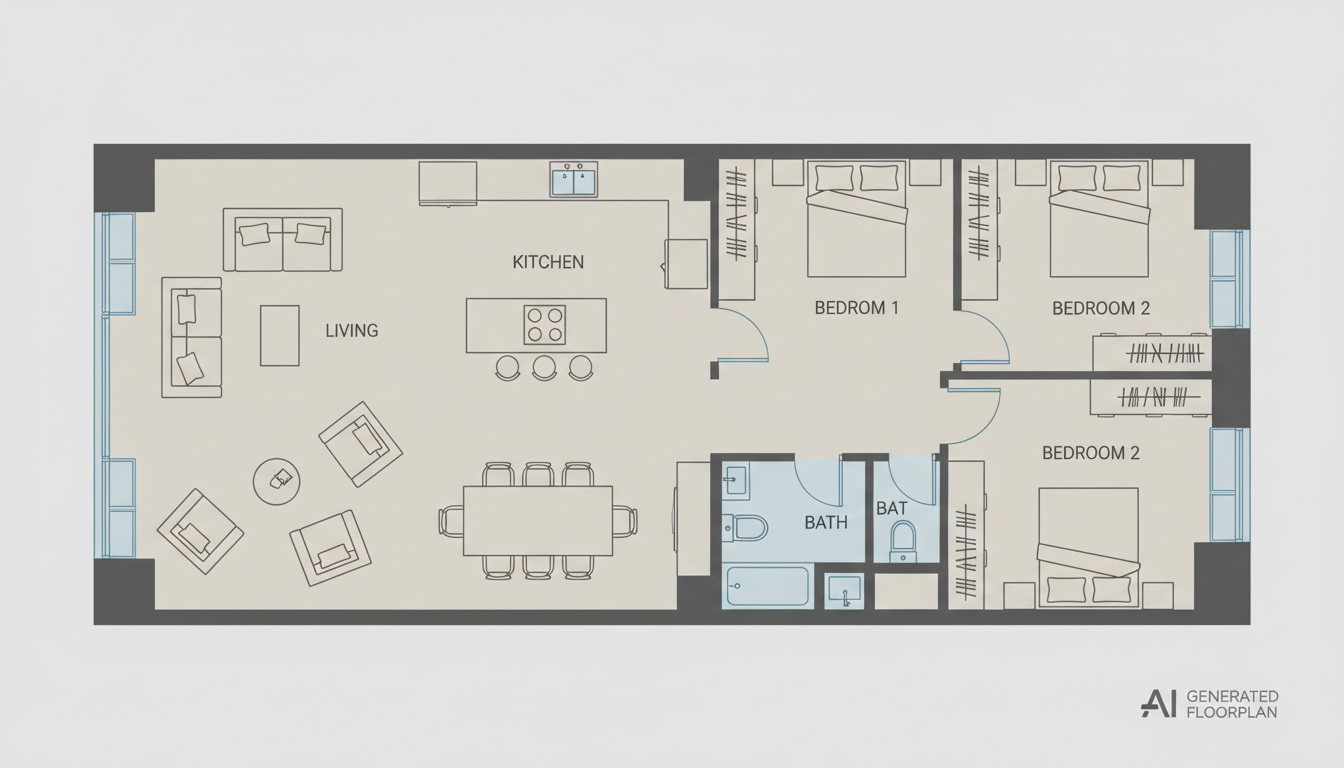


Revolutionize Your Design Process with Our AI Floor Plan Maker
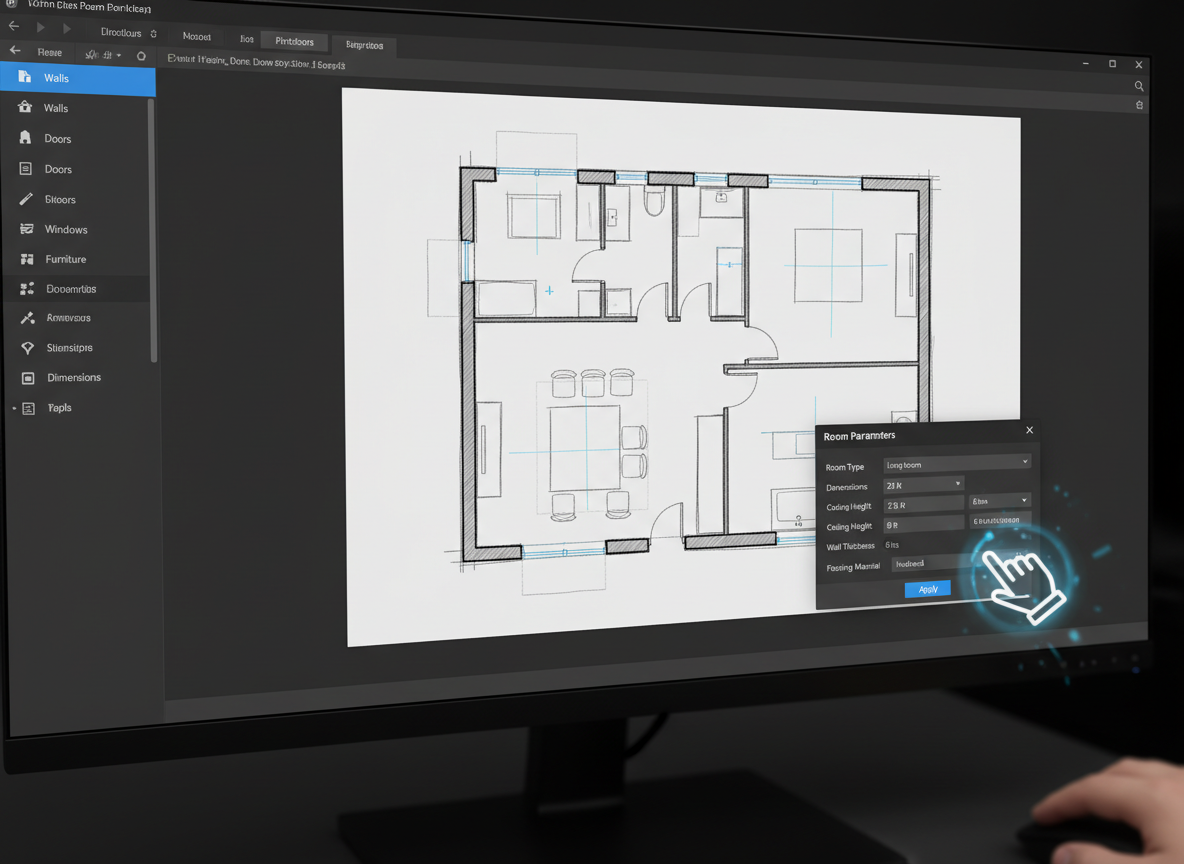
Instant 2D Floor Plan Creation
Our AI Floor Plan Generator is an innovative **AI floor plan maker** that converts your specifications into detailed 2D floor plans within seconds. Whether you need a simple sketch or a professional architectural drawing tool, experience unparalleled speed in generating custom floor plans without drawing a single line. This virtual floor plan tool streamlines your initial design phase.
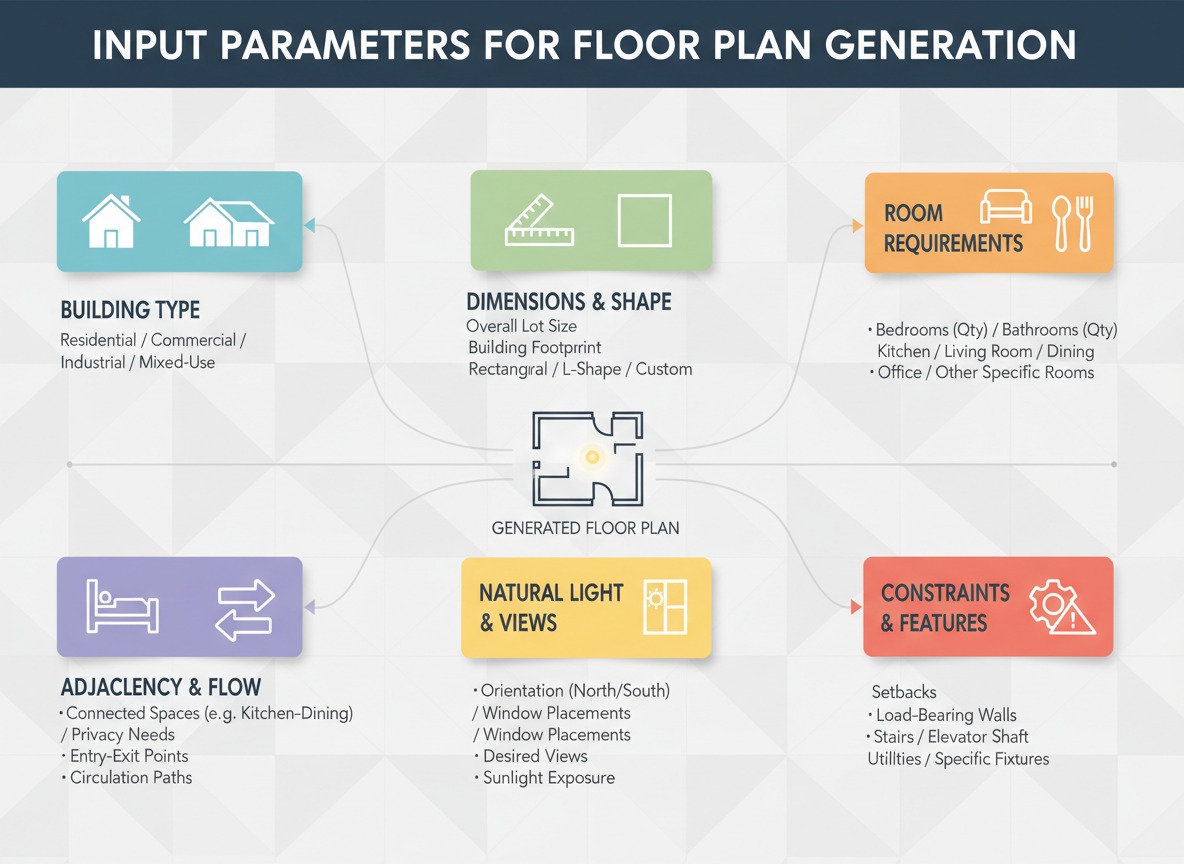
Parameter-Driven Custom Floor Plan Creator
Take control with our precise parameter selections. Define bedrooms (0-4), bathrooms (1-3), choose between an open or closed kitchen, and specify a gross area range. Our **online building layout maker** adapts to your needs, generating layouts that align with your exact vision for any apartment layout planner or house layout generator project. It's a truly automated floor plan solution.
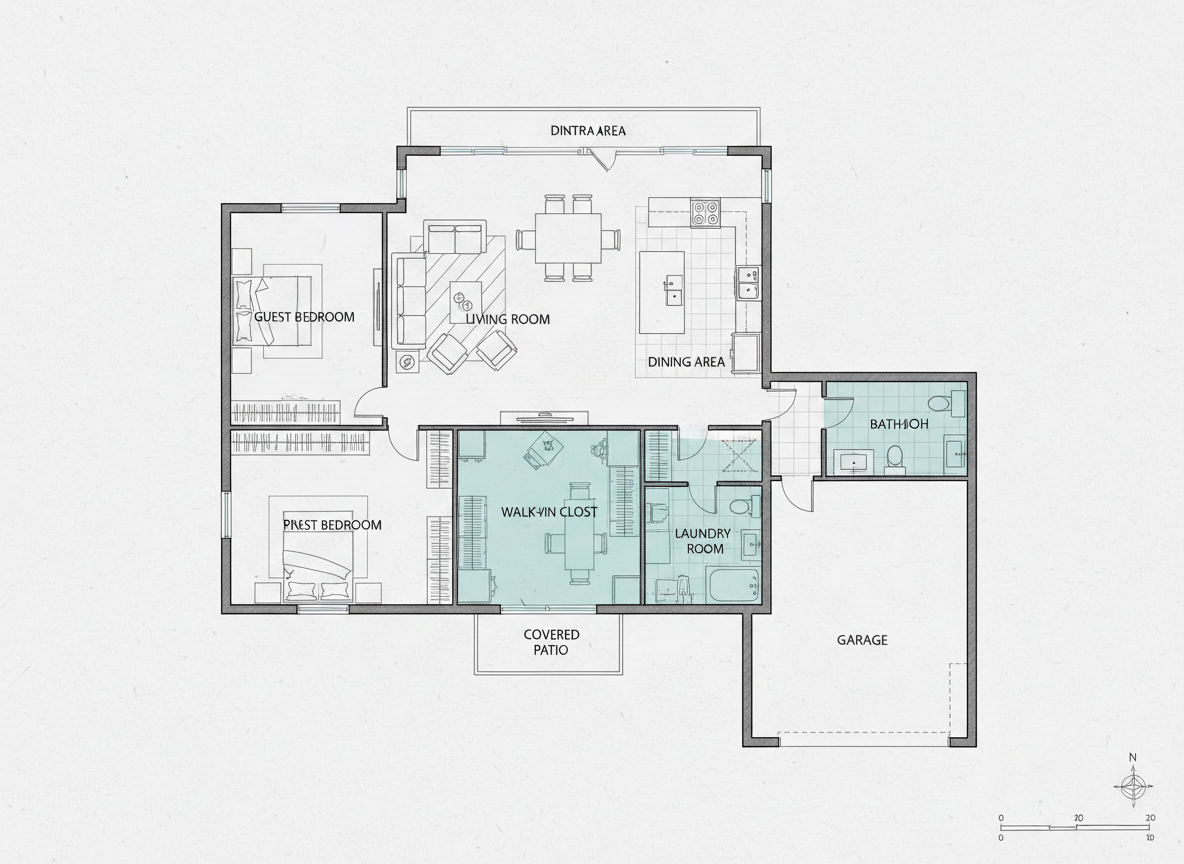
Intelligent Space Planning with Smart 'Extras'
Elevate your design with intelligent 'extras.' Add a walk-in closet, laundry room, home office, garage, pantry, combined living-dining area, or balcony to influence the space planning tool. Our AI design tool understands how these elements integrate, creating functional and aesthetically pleasing layouts that serve as excellent digital floor plans for any interior design planner.
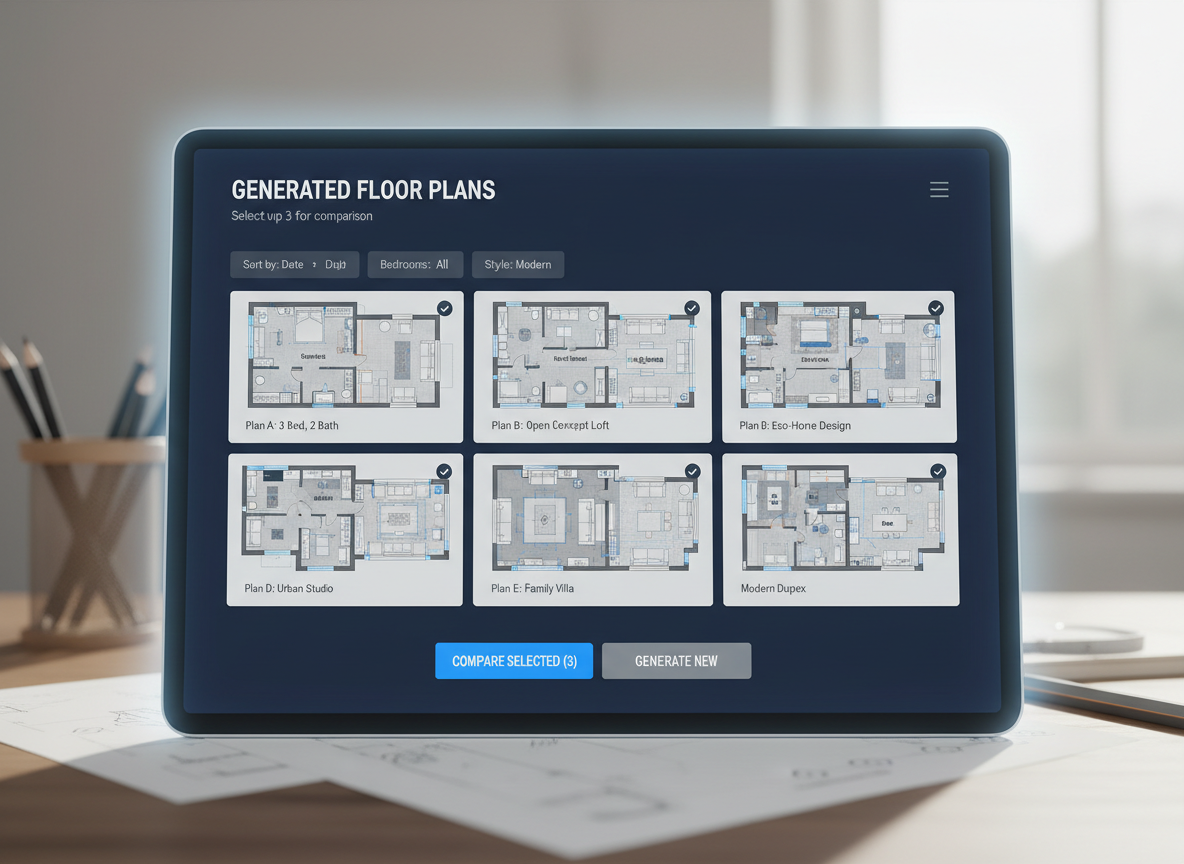
Efficient Iteration and Management with Our Room Planner Online
Every generated floor plan is saved in your 'Generation History,' allowing you to compare and refine concepts effortlessly. Use filters and views to navigate through your designs. This robust feature ensures you can quickly iterate on ideas, making our **online building layout maker** the perfect room planner online for professionals and DIY enthusiasts alike.

Who Benefits from Ideal House's AI Floor Plan Generator?

Homeowners & DIY Planners: Experiment with different layouts, open vs. closed kitchens, and walk-in closets to visualize your ideal living space. Our online building layout maker makes personal home design accessible.

Interior Designers & Decorators: Rapidly create apartment floor plan concepts for clients, iterating live by adjusting parameters. This AI design tool enhances your workflow.

Real Estate & Rentals: Generate consistent, professional 2D real estate floor plans for listings, providing buyers with clear visual understanding of property layouts. Improve your listings with our house layout generator.

Contractors & Consultants: Translate verbal project requirements into clear 2D floor plan visuals to align scope, discuss options, and accelerate project decisions. It’s an essential architectural drawing tool.

How to Use Ideal House: Your Online Building Layout Maker
1
Set Rooms: Choose your desired number of Bedrooms (0-4) and Bathrooms (1-3) to begin defining your space. This guides the fundamental structure of your custom floor plan.
2
Choose Kitchen Style: Toggle between an open or closed kitchen layout, instantly altering the flow and connection between living areas. Our online floor planner makes this easy.
3
Pick Gross Area: Select a target gross area range to guide the overall scale and proportions of your floor plan, ensuring realistic room sizes for your virtual floor plan.
4
Add Extras: Multi-select features like a walk-in closet, home office, or balcony to integrate specialized spaces into your design, optimizing the space planning tool for your needs.
5
Generate & Review: Click 'Generate' to instantly see your 2D floor plan. Review the results and make quick adjustments to parameters for real-time iteration with our powerful AI floor plan maker.
6
Download & Share: Export your chosen digital floor plans as an image or PDF, ready to share with clients, colleagues, or integrate into your real estate listings. Perfect for a professional 2D floor plan creator.
Frequently Asked Questions about Our AI Floor Plan Generator
How does the AI turn my selections into a floor plan?
Our **AI floor plan generator** interprets your inputs—beds, baths, kitchen type, gross area, and extras—then applies advanced spatial logic and common architectural rules to draft a clear 2D floor plan. Each generation provides a fresh concept based on your evolving program, making it a smart automated floor plan tool.
What ranges and defaults are available for selection?
You can select 0-4 bedrooms (default 2), 1-3 bathrooms (default 1), open or closed kitchen (default open), and various gross area bands. Extras are multi-selectable, giving you immense flexibility with our **online building layout maker**.
How does 'Gross Area' influence the generated floor plan?
The gross area band guides the overall footprint and scale of the floor plan, ensuring that rooms, corridors, and features are appropriately sized for your target space. Selecting the closest band helps our AI design tool produce the most realistic and functional apartment layout planner.
What's the difference between an open and closed kitchen layout?
An open kitchen fosters a continuous living-dining experience with seamless flow, ideal for modern, interactive spaces. A closed kitchen creates a more defined, separate cooking zone. Our **online floor planner** adapts the layout to your preference.
What do the 'Extras' accomplish in the design?
Extras, such as a walk-in closet or home office, inform the **AI floor plan maker** to prioritize and strategically place these specific spaces. For example, a pantry will be near the kitchen, or a home office in a quieter corner, optimizing your space planning tool.
Can I compare multiple versions of my floor plans?
Absolutely. Every generated design is saved in your 'Generation History.' You can use the 'Created with AI Floorplan' filter and grid/list views to easily compare multiple drafts side-by-side, helping you choose the best custom floor plan for your project. This feature makes us a leading 2D floor plan creator.
How fast is the generation, and how are credits used?
Most floor plans are generated in mere seconds. Each click of the 'Generate' button consumes the credits displayed. All results are stored, allowing you to quickly iterate and refine your designs with our efficient house layout generator.
Does Ideal House's AI Floor Plan Generator work on tablets?
Yes, our **online building layout maker** is fully web-based and optimized for seamless performance on both desktop and iPad. Your settings persist across sessions, ensuring a consistent and flexible design experience wherever you are.
Explore More Ideal House Design Tools
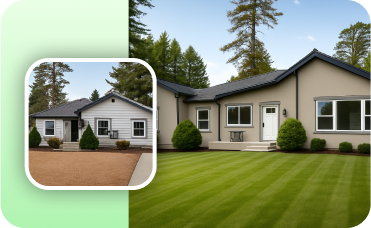
Photo Enhancer
Improve the brightness, color, and clarity of your base photo before adding your new countertop for the best results.

HouseGPT
Get expert AI advice on Shingle Style architecture characteristics, materials, and renovation strategies.
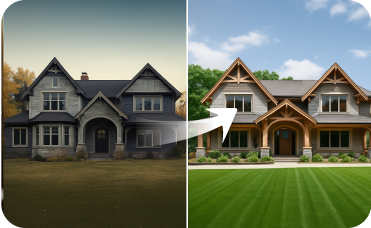
Exterior Renovator
Harmonize your home's exterior with its new Scandinavian interior by visualizing new siding, windows, and landscaping.
Ready to Design Your Space?
Map your vision in minutes with the most intuitive online building layout maker. Create clear, share-ready 2D floor plans effortlessly.
Generate My Floor Plan
💰 احصل على عمولة 10% كشريك متابع لـ Ideal House.
انضم إلينا